
Music cue sheets,
done in minutes.
Import the Pro Tools session data. Auto-identify tracks from 7 major music libraries. Export a delivery-ready Excel cue sheet. No manual lookups.
3 free cue sheets on first launch · Pay per sheet, no subscription
Cue sheets are non-negotiable. They're also a nightmare to produce.
Every broadcast delivery requires a completed music cue sheet. Performing rights organisations (APRA AMCOS, ASCAP, BMI, PRS) depend on them to distribute royalties to composers, publishers, and music libraries.
Without one, payment is delayed. With errors, it's sent back. The traditional process? Open the Pro Tools session. Manually look up every track in multiple library databases. Cross-reference catalogue numbers, composers, publishers, durations, one by one.
For a 45-minute drama episode with 100+ cues, that's hours of work. Music Cue Manager does the heavy lifting automatically.
Hours of manual lookup
Cross-referencing Pro Tools data against library databases, one track at a time.
Errors delay payments
A wrong catalogue number means the sheet gets rejected. Rights holders don't get paid.
Multiple library logins
Extreme Music, Audio Network, APM: each library has its own database. Music Cue Manager recognises the filename and knows exactly where to look up the metadata.
Format requirements
Every PRO has its own template. APRA AMCOS, PRS, ASCAP, Netflix: get the format wrong and the sheet comes back.
From Pro Tools to delivery-ready in four steps
Set up your project
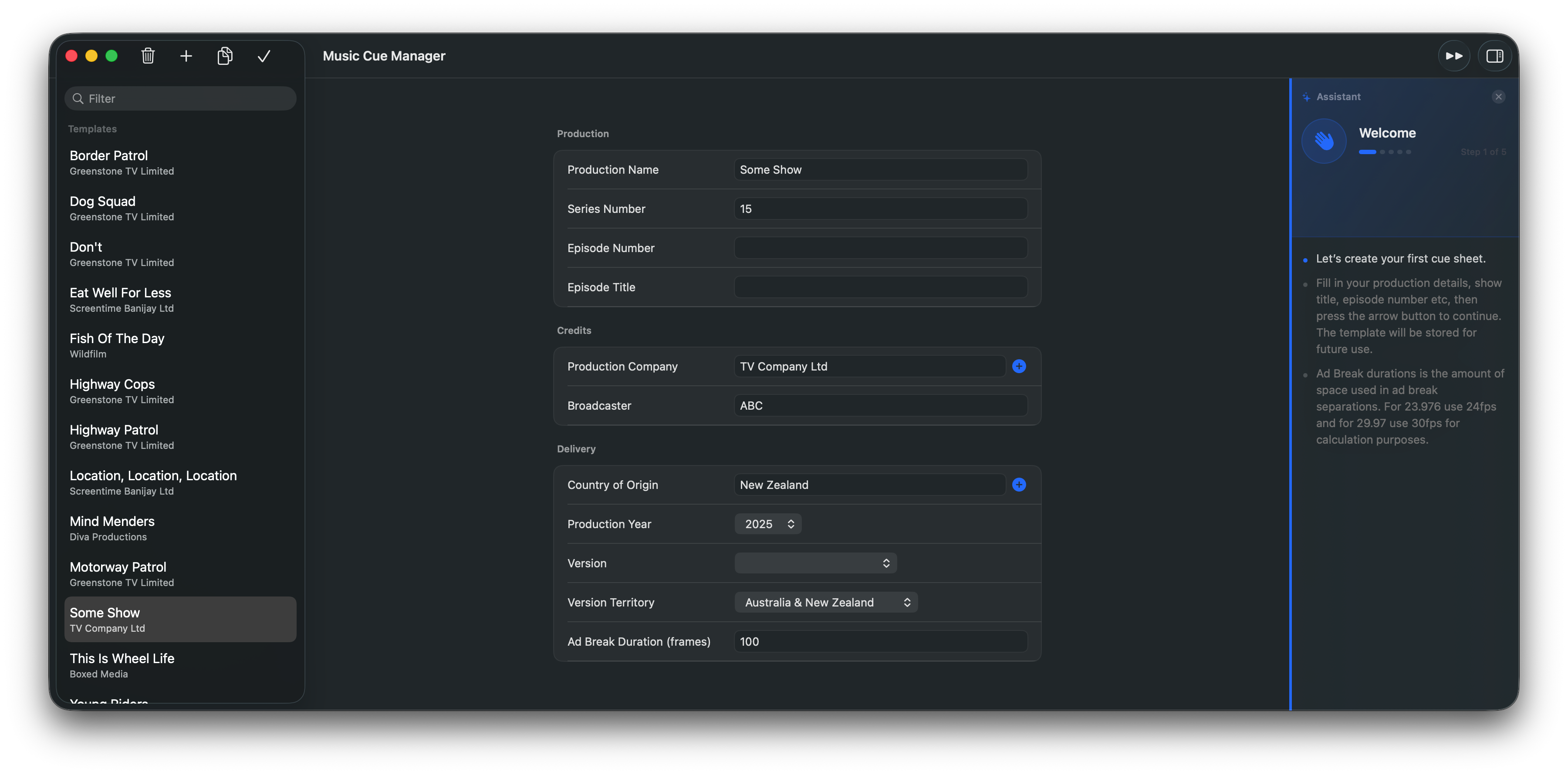
Enter your production name, series and episode numbers, production company, broadcaster, and delivery details. Templates are saved for future use.
Import session
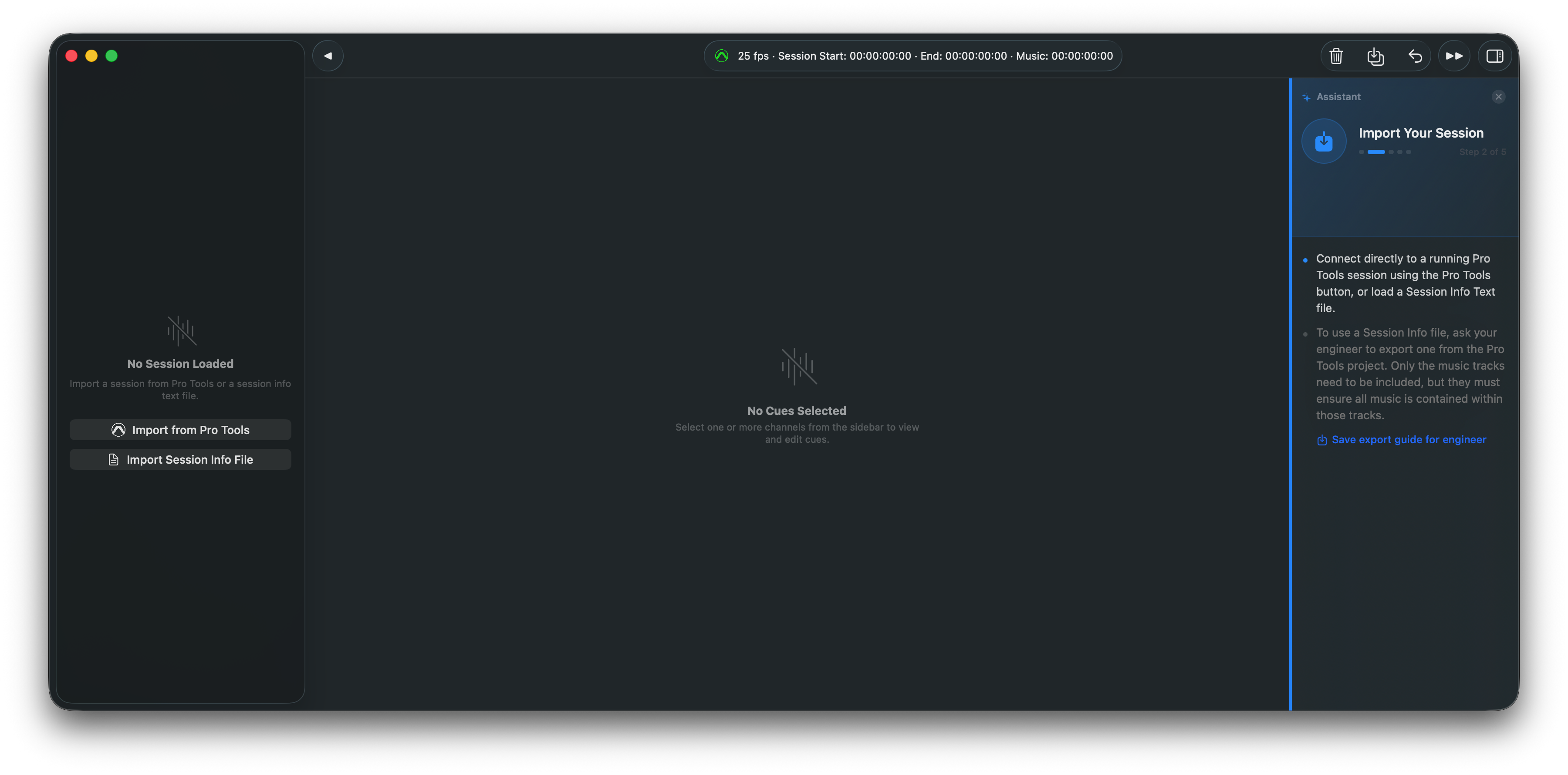
Connect directly to a running Pro Tools instance, or import a Session Info Text file. Don't have Pro Tools access? Ask your engineer for a quick Session Info Text export. It takes seconds.
Review cues
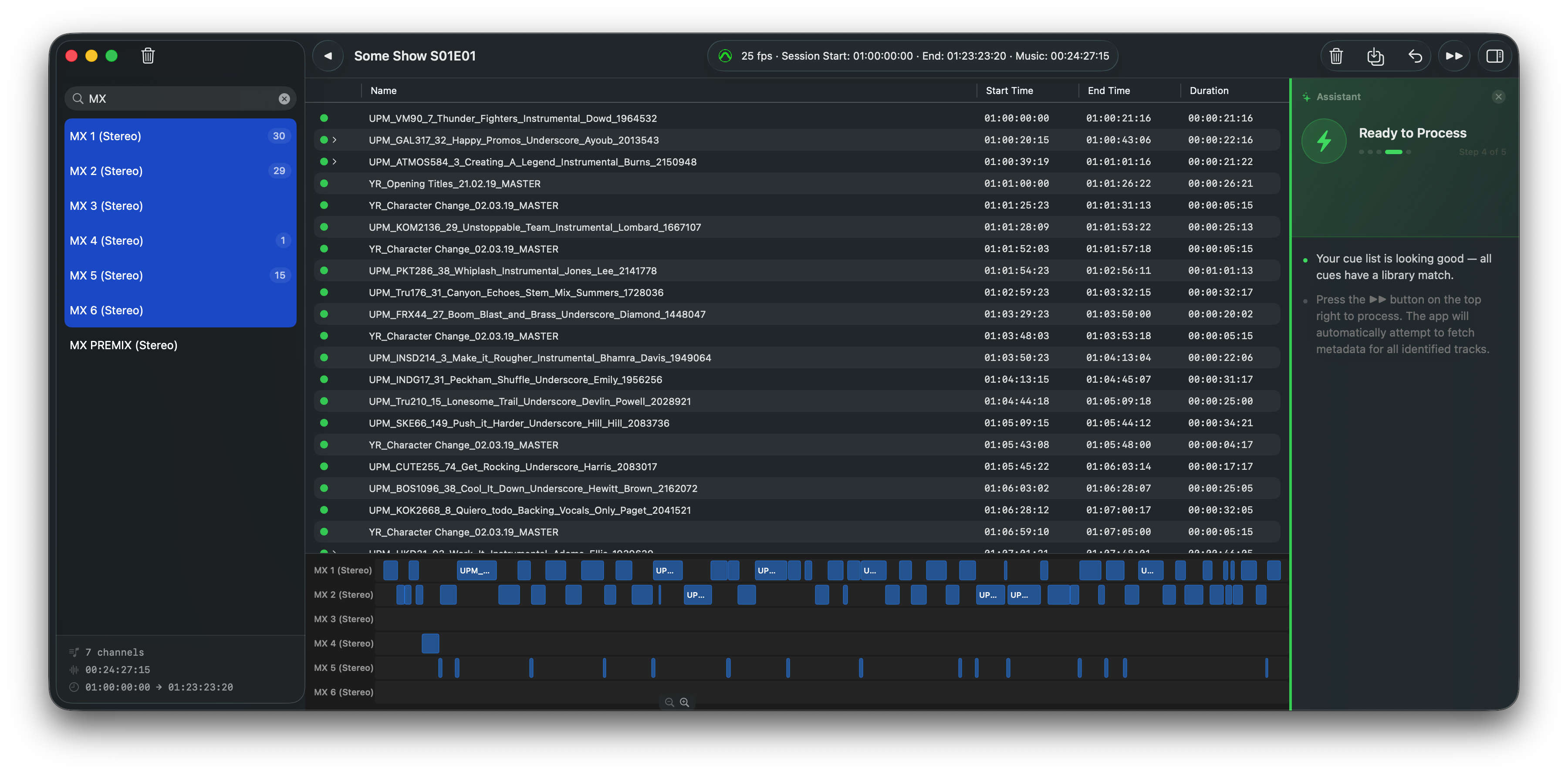
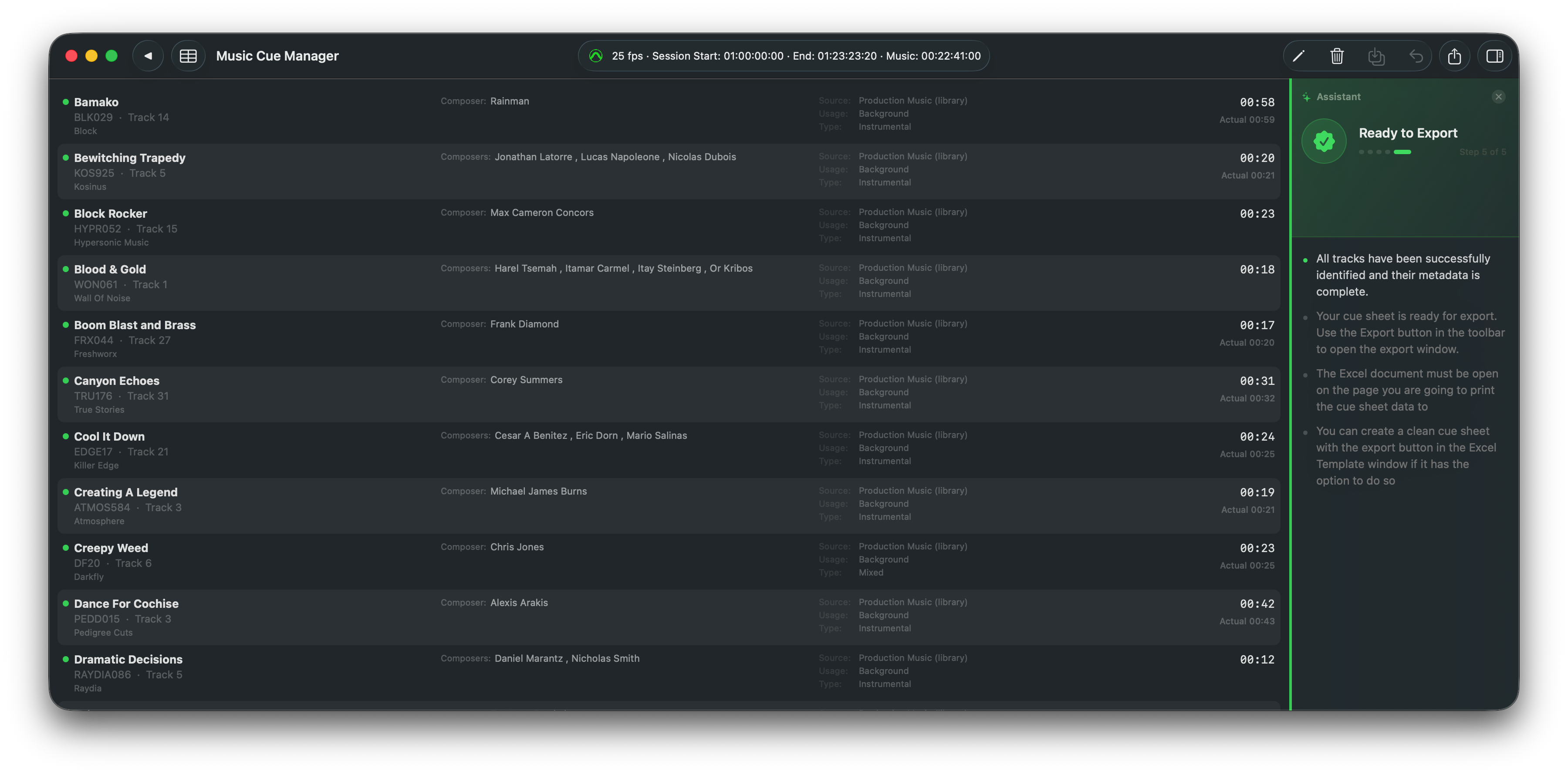
Select which channels to include. Green-dot cues are library-matched. Orange warnings need investigation: fix names, delete sound effects, royalty free musical effects and non music clips.
Process & export
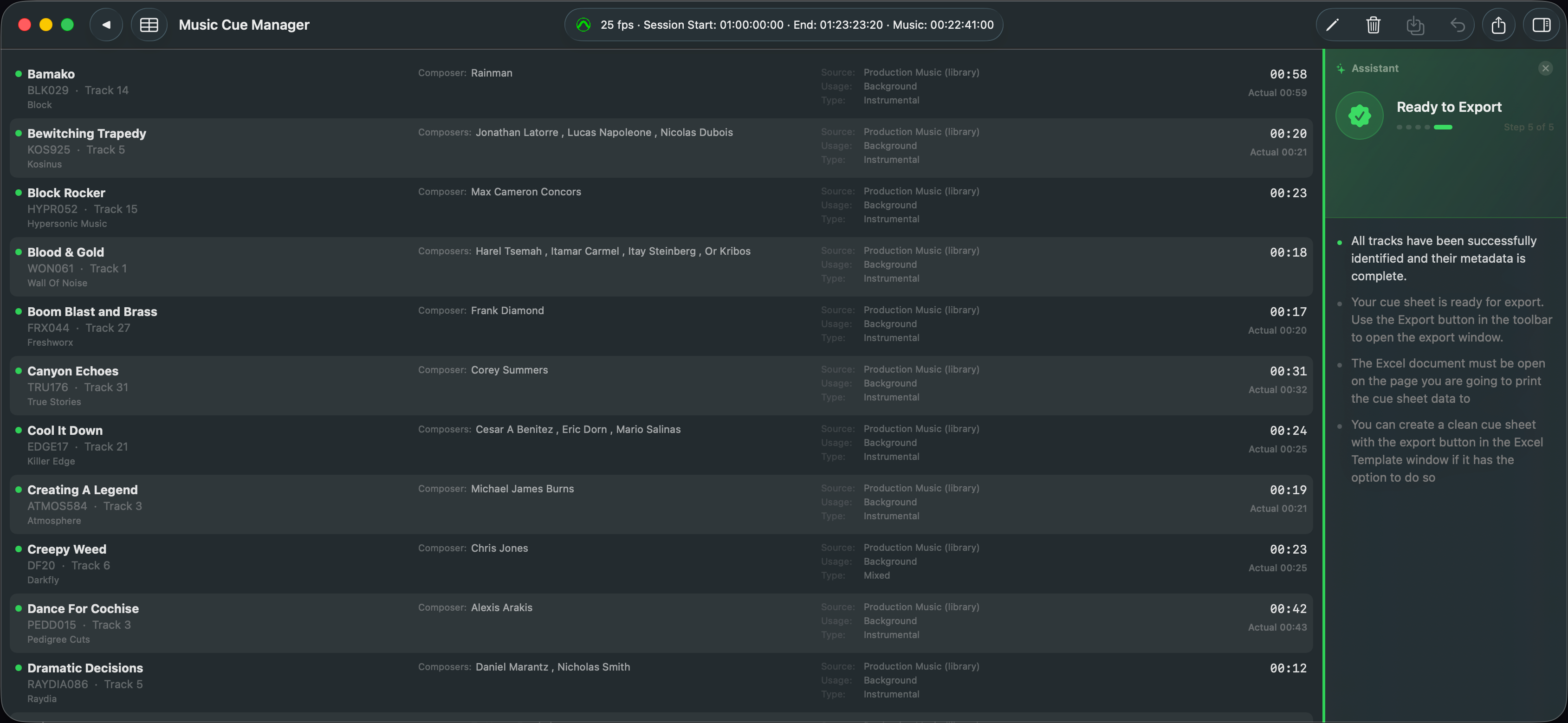
One click identifies every cue: track title, composer, publisher, catalogue number, PRO, shares, ISRC, and more where available. Export the completed cue sheet to the Excel workbook.
Automatically identifies tracks from 7 major libraries
The app recognises naming patterns from these libraries and queries them directly. No manual searches.
Audio Network
ANW1234_001
APM Music
RLZ-0052
Extreme Music
XTREME_XXX
Universal Production Music
UPM_XXXX
Beatbox
123 · Title · Artist
BMG Production Music
BMGPM_XXX
Warner Chappell
WC_XXXXXX
Manual entry memory
Cues resolved manually are saved locally and auto-recognised in future sessions. Original score, custom libraries, and one-off tracks are remembered forever.
Everything a music editor needs
Direct Pro Tools connection
One click imports all music tracks and timecodes from a running Pro Tools session. Or import via Session Info Text file; your engineer can export one in seconds.
Instant auto-identification
Matches cue names against 7 major production music libraries. Green dot = identified. Orange warning = needs attention. Unmatched cues? The built-in help guide walks you through common naming issues so you can resolve them fast.
Intelligent time-sharing
When music duration is longer than the programme, it can fail a delivery. Music Cue Manager dynamically shares crossfades and layers between tracks with one click, so durations on the cue sheet truly reflect the final mix.
Visual session timeline
See every imported cue laid out by timecode, channel, and duration. Identical clips that crossfade and are split across tracks are compiled into a single entry, so you can verify the final layout before export.
Ready-made Excel templates
Built-in templates for APRA AMCOS, PRS, ASCAP, and Netflix, ready to submit.
Custom template builder
The visual template builder lets you map any Excel cue sheet layout: map fields to cells, set header rows, and lock formatting. Build once, reuse on every project.
Local memory database
Previously resolved manual entries are saved locally and auto-recognised in future sessions. Faster every time you use it.
On-device, no subscription
Works entirely on your Mac. No cloud uploads, no recurring fees. Pay per cue sheet, keep forever.
Simple, per-project pricing
One credit = one cue sheet (one episode or project). No subscription, no monthly fees.
Music Cue Manager
macOS app · Mac App Store
Managed Service
We do the work for you
Want to offload the job?
We'll do it for you.
Send us your Pro Tools Session Info file, show details and required cue sheet. We'll produce it and deliver it to you when it's done.
Pay only when the work is complete. NZD $50 per sheet.
Get a sheet made · $50 NZD